
On this page
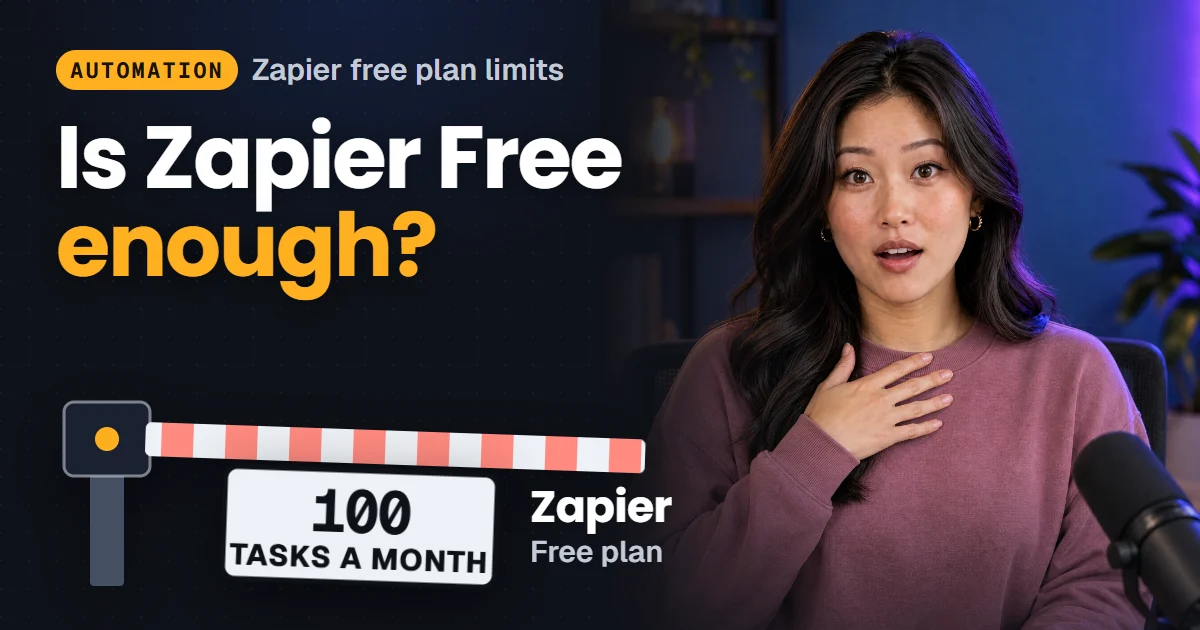
Short answer: Zapier's Free plan gives you 100 tasks a month, Zaps with one trigger and one action, and a 15-minute check interval [1]. When the 100 tasks are used, Zapier holds new runs until your billing cycle resets or you upgrade, and you can replay them afterwards [2]. They are held, not deleted.
What the Free plan includes
Zapier's help center lists what a Free account gets [1]:
- Unlimited Zap workflows, tables and forms. The cap is on tasks, not on how many Zaps you build.
- 100 tasks a month, shared between Zap workflows and MCP server actions.
- Two-step Zap workflows: one trigger and one action.
- A 15-minute polling interval for triggers that check for updates.
- One user, 2,500 table records and 10 form pages.
New accounts also get a 14-day trial of a paid plan. When it ends, or if you downgrade, the premium features stop working [1]. Zapier lists premium apps, multi-step Zaps, autoreplay and faster polling as paid features [1].
What counts as a task
A task is a successful action step. Zapier's task page says an example Zap that uploads a Gmail attachment to Dropbox and then sends a Slack message uses two tasks [2]. The trigger is not counted. Steps that error, halt or don't run because a filter stopped them don't count, and neither do Formatter, Delay, Looping and Tables or Forms steps [2].
On Free, a Zap has one action, so each successful run costs one task. That is why 100 tasks is a run limit in practice.
The limits you hit first, in order
- Two steps. One trigger and one action. Anything with a second action needs a paid plan [1].
- 100 tasks. About 3 runs a day for a one-action Zap (our math: 100 ÷ 30 days).
- 15-minute polling. New data can take up to 15 minutes to be picked up [1].
- Premium apps. Free doesn't include them [1]. Check your app on Zapier's pricing and app pages before you build.
Zapier's Free help page doesn't list Filter or Paths as Free features, and its task page says filters and formatting use no tasks in the newer Next Gen Zaps [2]. Check in the editor which steps your own account allows before you plan around them.
What happens at 100 tasks
Zapier's task page says that on a plan without pay-per-task billing, "when your plan reaches its task limit Zapier will hold any new Zap runs until your billing cycle resets." It emails you at 80% and at 100% of your limit [2].
You can replay held runs and keep using Zapier MCP once one of three things happens: the billing cycle resets, you upgrade, or you turn on pay-per-task billing [2]. Those paths exist on paid plans; this page doesn't show pay-per-task billing as a Free feature, so on Free the two routes are waiting for the reset or upgrading.
Held runs wait for you. Plan for the delay: a form entry that arrives on day 24 won't trigger its action until the reset or an upgrade.
How far 100 tasks go
Our math, using the task rule above for a Zap with one action:
| Runs a day | Tasks in 30 days | Fits Free's 100? |
|---|---|---|
| 1 | 30 | Yes |
| 3 | 90 | Yes |
| 4 | 120 | No: held from about day 25 |
Example: a form entry added to a sheet 3 times a day is 90 tasks in 30 days. That fits, with 10 to spare. A second action, such as sending a confirmation email, needs a multi-step Zap, so it needs a paid plan.
Zapier Free vs Make Free
The two plans count different things. Zapier counts successful action steps and skips the trigger. Make counts credits: each trigger check counts once, and every later module counts once per bundle [3]. Make's Free plan gives 1,000 credits a month, multi-step scenarios and a 15-minute minimum interval [3].
Same job on Make (our math, using the rule from Make credits explained): 3 form entries a day into a sheet is 90 action credits. With a daily check that adds 30 trigger checks, about 120 credits. An hourly check adds 720, about 810 in total, still under 1,000. A 15-minute check adds 2,880 and goes over. So the schedule you pick on Make matters more than the number of rows.
The fair objection: Zapier lists 9,000+ app connections [4], so Make's larger allowance doesn't help if your app isn't there. Check your app on both before you pick. For the full paid comparison, see Make vs Zapier pricing, and for all three free plans side by side, Make vs Zapier vs n8n. If you're weighing Make against n8n, which bills per full run instead of per step, see n8n vs Make. To price your own workflow, use the automation cost calculator.
Affiliate link · How we make money
Try Make free: 1,000 credits a month
The first paid step
Zapier's pricing page shows Free at $0 a month and Professional "starting from $19.99 /month" [4]. The 750-task tier is $19.99 a month billed yearly, or $29.99 billed monthly. 1,500 tasks is $39 yearly or $58.50 monthly, and 2,000 is $49 yearly or $73.50 monthly (Nina's reading of the task-tier slider on Nov 9; the slider didn't read as text from our cloud on Nov 13, so these tier prices carry the Nov 9 date). Compare them on Zapier's page on the day you buy.
For comparison, Make's Core plan at 10,000 credits is $12 a month billed yearly or $16 monthly (checked Nov 2, 2026; see Make credits explained).
FAQ
How many tasks does Zapier Free include?
100 a month, shared between Zap workflows and MCP server actions [1].
Does Zapier Free have multi-step Zaps?
No. Free is limited to one trigger and one action [1].
What happens when I hit 100 tasks on Zapier Free?
New runs are held until your billing cycle resets or you upgrade, then you can replay them [2].
Does a trigger count as a task?
No. Zapier's task page doesn't count triggers, only successful action steps [2].
How often does Zapier Free check for new data?
Every 15 minutes [1].
Is there a free trial of paid features?
Yes. New accounts get 14 days of a paid plan's features [1].
Bottom line
Zapier Free works for one-action Zaps at about 3 runs a day or less. It stops being enough when you need a second step, premium apps or more than 100 tasks a month. At the cap your runs wait for you rather than disappearing. If you need several steps, price Make's Free plan against it using your own schedule, and check that Make supports your apps.
We earn a commission on Make links. We have no Zapier affiliate link; Zapier links are plain links.
Sources
- Zapier Help: What's included in Zapier's Free plan?, updated Aug 21, 2026; checked live 2026-11-13
- Zapier Help: How is task usage measured in Zapier?, checked live 2026-11-13
- Make Help Center: Credits and make.com/pricing, as read 2026-11-02 for our Make credits guide
- zapier.com/pricing, checked live 2026-11-13 (Free $0, Professional from $19.99/mo, 9,000+ apps)